
0xdeadcode – ONE FTP LINK – TORRENT
Explore the world with our largest fleet of aircraft and….
DESCRIPTION / DOWNLOAD
ABOUT THE GAME
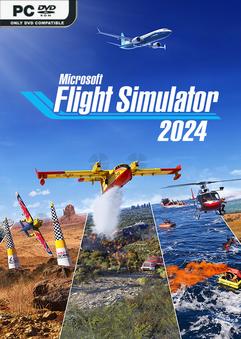
Explore the world with our largest fleet of aircraft and take simulation to new heights while pursuing your aviation career within Microsoft Flight Simulator 2024.
Title: Microsoft Flight Simulator
Genre: Simulation
Release Date: 19 Nov, 2020
Support the software developers. BUY IT!
• https://store.steampowered.com/app/2537590/Microsoft_Flight_Simulator_2024/
• At least Windows 10 x64 version 1909 or later with Microsoft Store services installed.
• Online Fix Inclu.
How To Play:
1. Run GDK_Helper.bat, which is located in the game folder. (Performed once)
2. Enable Developer Mode. (Restart your PC if necessary) (Performed once)
3. Install the game. (Performed once)
4. Disable Developer Mode. (Performed once)
5. Launch the game from the Start menu.
Microsoft Flight Simulator v1.39.9.0-0xdeadcode
Size: 1 GB
——————————-
ONE FTP LINK
MEGA
1FICHIER
PIXELDRAIN
MEDIAFIRE
GOFILE
RANOZ
DROPAPK
BOWFILE
FREEDLINK
WDHO
MIXDROP
CHOMIKUJ
VIKINGFILE
DOWNMEDIALOAD
HEXLOAD
1CLOUDFILE
USERSDRIVE
MEGAUP
CLICKNUPLOAD
DAILYUPLOAD
DDOWNLOAD
RAPIDGATOR
NITROFLARE
TURBOBIT
HITFILE
MULTI LINKS
TORRENT
Enjoy
SYSTEM REQUIREMENTS
-
MINIMUM:
- Requires a 64-bit processor and operating system
- OS: Windows 10
- Processor: AMD Ryzen 5 2600X or Intel Core i7-6800K
- Memory: 16 GB RAM
- Graphics: Radeon RX 5700 or GeForce GTX 970
- DirectX: Version 12
- Network: Broadband Internet connection
- Storage: 50 GB available space
- Additional Notes: Network Speed of 10 Mbps Bandwidth
SCREENSHOTS


GAMEPLAY
INFO
1. Extract
2. Play!
COMMENTS
Leave a comment