

P2P – ONE FTP LINK – TORRENT
Uncover the origins of organized crime in Mafia: The Old Country, a gritty mob story set….
DESCRIPTION / DOWNLOAD
ABOUT THE GAME
Uncover the origins of organized crime in Mafia: The Old Country, a gritty mob story set in the brutal underworld of 1900s Sicily. Fight to survive as Enzo Favara and prove your worth to the Family in this immersive third-person action-adventure.
Title: Mafia: The Old Country
Genre: Action, Adventure
Release Date: 7 Aug, 2025
Support the software developers. BUY IT!
• https://store.steampowered.com/app/1941540/Mafia_The_Old_Country/
• Soldato Pack
• Padrino Pack
• Gatto Nero Pack
• Soundtrack and Digital Artbook
How To Play [HYPERVISOR]:
1- Download the archive MTOC.HYPERVISOR.B5.3.0xZeOn
2- Prepare the system to run games using a hypervisor:
⟶ Reboot and enter the BIOS, disable Secure Boot as well as virtualization (VT-x on
Intel, SVM or AMD-V on AMD).
⟶ Boot into the system.
⟶ Run Command Prompt as administrator and enter: bcdedit /set testsigning on
(after reboot, a “test mode” message or similar will appear in the bottom-right of
the desktop—this is normal).
⟶ Run Command Prompt as administrator again and enter:
bcdedit /set hypervisorlaunchtype off
⟶ That’s basically it—the system preparation for running games with this kind of bypass
is complete (this is done once).
4- Inside the downloaded archive, choose the folder for your processor
(AMD CPU or INTEL CPU) and copy its contents into the game folder.
5- Run Command Prompt as administrator and enter the command:
sc create denuvo type=kernel start=demand binPath=C:\Drivers\SimpleSvm.sys
(make sure to specify your own path to SimpleSvm.sys (for AMD) or hyperkd.sys
(for Intel). These files will be located at b1\Binaries\Win64).
6- In the same Command Prompt, enter the command: sc start denuvo
(after finishing the game, you can enter sc stop denuvo in Command Prompt to
stop the service).
7- Launch the game using MafiaTheOldCountry.exe at "MafiaTheOldCountry\Binaries\Win64"
NOTES:
• We do not advise using this HYPERVISOR method, as it requires disabling certain
security features.
• Use it at your own risk, or wait for a proper release from voice38/RUNE.
• If, after preparing the system, the game still doesn’t launch, the following may help:
Run the command prompt as administrator and enter the command:
bcdedit.exe /set nointegritychecks on
• Disable NX Mode in the BIOS (if your BIOS has this option).
• Also, according to comments from other sources, it became clear that for some people
the game does not start if there is any software installed in the system for using
virtual machines, such as VirtualBox, etc.
MTOC.HYPERVISOR.B5.3.0xZeOn { Download | Download | Download | Download | Download | Download | Download }
Mafia The Old Country HYPERVISOR-P2P
Size: 45 GB
——————————-
ONE FTP LINK
UPTOBOX
1FICHIER
GOFILE
QIWI
MEGA
PIXELDRAIN
USERSCLOUD
TURBOBIT
HITFILE
TORRENT
ANOTHER TORRENT
ANOTHER TORRENT
ANOTHER TORRENT
MAGNET LINK
Enjoy
SYSTEM REQUIREMENTS
-
- Requires a 64-bit processor and operating system
- OS: Windows 10 64-bit
- Processor: Intel® Core™ i5-7600k Processor / AMD Ryzen™ 5 1600X Processor
- Memory: 16 GB RAM
- Graphics: NVIDIA GeForce GTX 1060 6GB or AMD Radeon RX 580 8GB
- DirectX: Version 12
- Storage: 75 GB available space
- Additional Notes: 1080P. Graphics Quality Preset “Low”. 60FPS Target. HDD Supported, SSD Recommended.
SCREENSHOTS
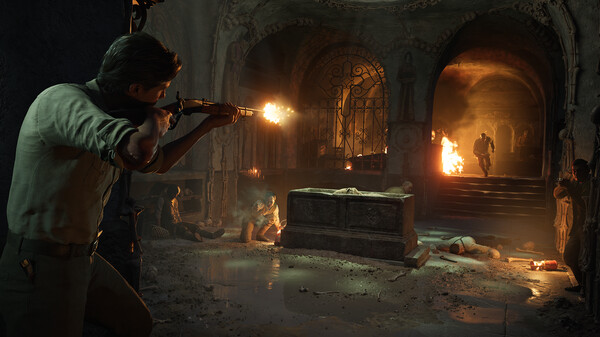

GAMEPLAY
INFO
1- Extract
2- Play!
COMMENTS
Leave a comment