
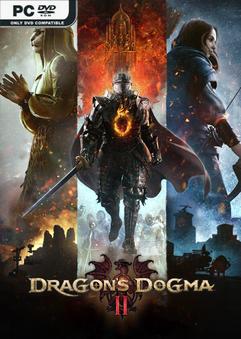
V20250409 – ONE FTP LINK – TORRENT
Dragon’s Dogma is a single player, narrative driven action-RPG series….
DESCRIPTION / DOWNLOAD
ABOUT THE GAME
Dragon’s Dogma is a single player, narrative driven action-RPG series that challenges the players to choose their own experience – from the appearance of their Arisen, their vocation, their party, how to approach different situations and more. Now, in this long-awaited sequel, the deep, explorable fantasy world of Dragon’s Dogma 2 awaits.
Title: Dragons Dogma 2
Genre: Action, Adventure, RPG
Release Date: 22 Mar, 2024
Support the software developers. BUY IT!
• https://store.steampowered.com/app/2054970/Dragons_Dogma_2/
1- install game
2- Educate yourself first by reading _Info.txt and DenuvOwO.nfo; CPU virtualization
must be enabled in BIOS (some motherboards have it enabled as default setting)
3- Start as Administrator "VBS.cmd" from game folder, press 1, restart computer,
then on the next boot press F7 when new window will show up (driver signature OFF)
4- Start from desktop icon
PS: Once you make it work, any other game with Hypervisor can be installed and played from
desktop icon (as long as you don't restart/shutdown PC - then again VBS.cmd > 1 > reboot >
F7 > desktop icon)
Dragons Dogma 2 Deluxe Edition HYPERVISOR v20250409
Size: 60 GB
——————————-
ONE FTP LINK
1FICHIER
GOFILE
BUZZHEAVIER
VIKINGFILE
MULTI LINKS
TORRENT
Enjoy
SYSTEM REQUIREMENTS
MINIMUM:
-
- Requires a 64-bit processor and operating system
- OS: Windows 10 (64 bit)/Windows 11 (64 bit)
- Processor: Intel Core i5 10600 / AMD Ryzen 5 3600
- Memory: 16 GB RAM
- Graphics: NVIDIA GeForce GTX 1070 / AMD Radeon RX 5500 XT with 8GB VRAM
- DirectX: Version 12
SCREENSHOTS


GAMEPLAY
INFO
1- Extract
2- Play!
COMMENTS
Leave a comment