
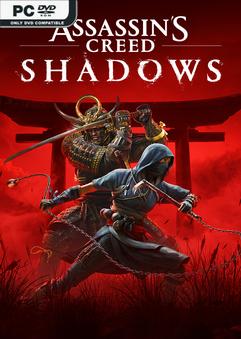
P2P – ONE FTP LINK – TORRENT
Experience an epic action-adventure story set in feudal Japan! Become….
DESCRIPTION / DOWNLOAD
ABOUT THE GAME
Experience an epic action-adventure story set in feudal Japan! Become a lethal shinobi assassin and powerful legendary samurai as you explore a beautiful open world in a time of chaos.
Title: Assassin’s Creed Shadows
Genre: Action, Adventure, RPG
Release Date: 19 Mar, 2025
Support the software developers. BUY IT!
• https://store.steampowered.com/app/3159330/Assassins_Creed_Shadows/
2- Read the instructions and launch the game:
• Releases with a hypervisor require certain security features to be disabled.
To prepare the system for the hypervisor, run VBS.cmd as administrator.
(When you press F7 and see the menu, you need to disable driver signature enforcement.)
• Before continuing, carefully read the displayed information.
After you finish playing, it is strongly recommended to revert the changes.
• The hypervisor driver source code is located in the archive DenuvOwO_SRC.zip.
This archive is intended for advanced users—you do not need to open or copy it.
• Run the game via hypervisor-launcher as administrator
(run it through the original game .exe if you want to load the hypervisor manually).
• If hypervisor-launcher is used, the hypervisor will load automatically,
which requires administrator rights, and it will also unload when you exit the game.
• If hypervisor-launcher is not used, running the game as administrator will not be
required. In this case, you need to create and manage the driver service as shown in
the example. This information is intended for advanced users.
• The mentioned driver files are located in:
DenuvOwO\SB\Binaries\Win64\driver_amd or
DenuvOwO\SB\Binaries\Win64\driver_intel — specify your path.
Use the following commands in an administrator command prompt:
sc create SimpleSvm type= kernel binPath= "C:\Users\Test\Desktop\SVM\SimpleSvm.sys"
(replace with your driver file path)
sc start SimpleSvm
sc stop SimpleSvm [after exiting the game]
sc delete SimpleSvm
• The driver file name for Intel is hyperkd.sys.
Other hyperdbg files should be located next to it.
These file names start with "hyper".
• The file DenuvOwO.nfo (NotePad) contains the original instructions, if needed.
Assassins.Creed.Shadows-DenuvOwO { Download | Download | Download | Download | Download | Download | Download }
Assassins Creed Shadows Premium Edition HYPERVISOR-P2P
Size: 163 GB
——————————-
ONE FTP LINK
1FICHIER
GOFILE
VIKINGFILE
MULTI LINKS
TORRENT
ANOTHER TORRENT
ANOTHER TORRENT
MAGNET LINK
Enjoy
SYSTEM REQUIREMENTS
-
MINIMUM:
- Requires a 64-bit processor and operating system
- OS: Windows 10/11
- Processor: INTEL® Core TM i7 8700K AMD RYZEN 5 3600
- Memory: 16 GB RAM
- Graphics: NVIDIA® GEFORCE GTX 1650 4GB / AMD RX-5500 XT 8GB / INTEL® ARC TM A380 6GB (REBAR ON)”
- DirectX: Version 12
- Storage: 115 GB available space
- Additional Notes: The game must be installed on a SSD.
SCREENSHOTS


GAMEPLAY
INFO
1. Extract
2. Play!
COMMENTS
Leave a comment